
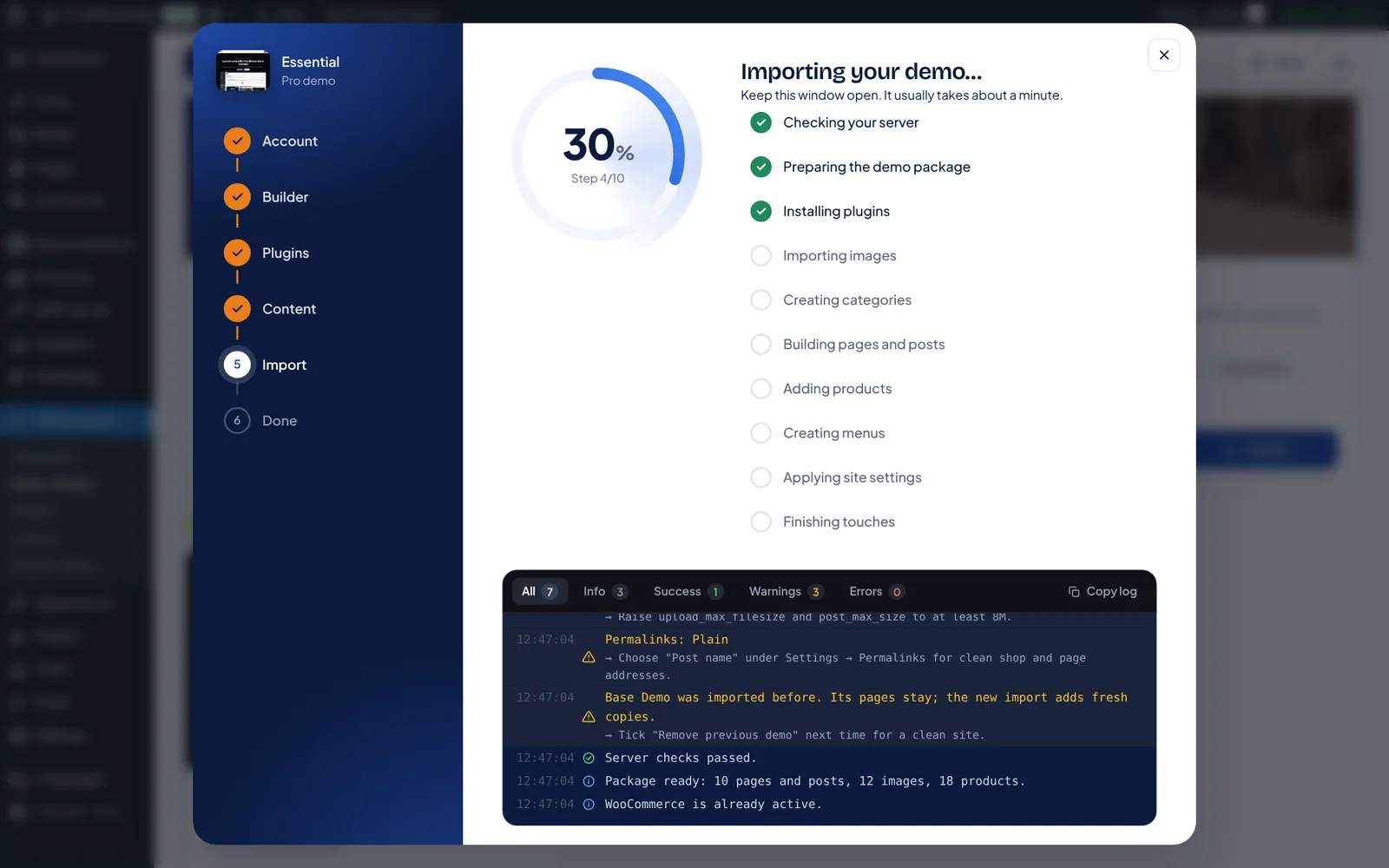
Every demo ships a Gutenberg and an Elementor version. The importer installs the plugins the demo needs, brings in pages, products, menus and images, and logs each step so you can resume if anything stops.
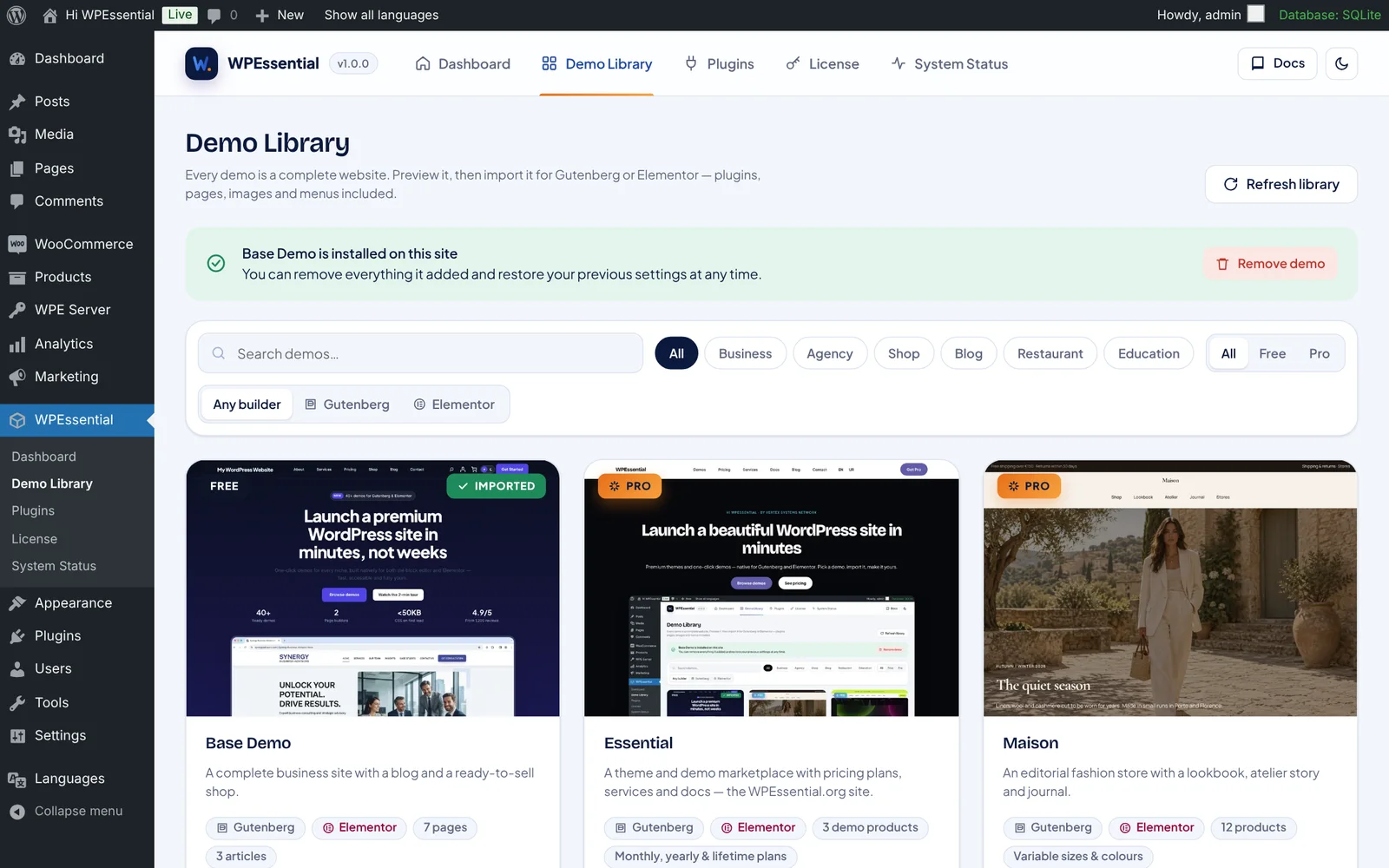
1. Open the Demo Library
Go to WPEssential → Demo Library in wp-admin and pick a demo.
2. Choose your builder
Select Gutenberg or Elementor. Both versions look the same.
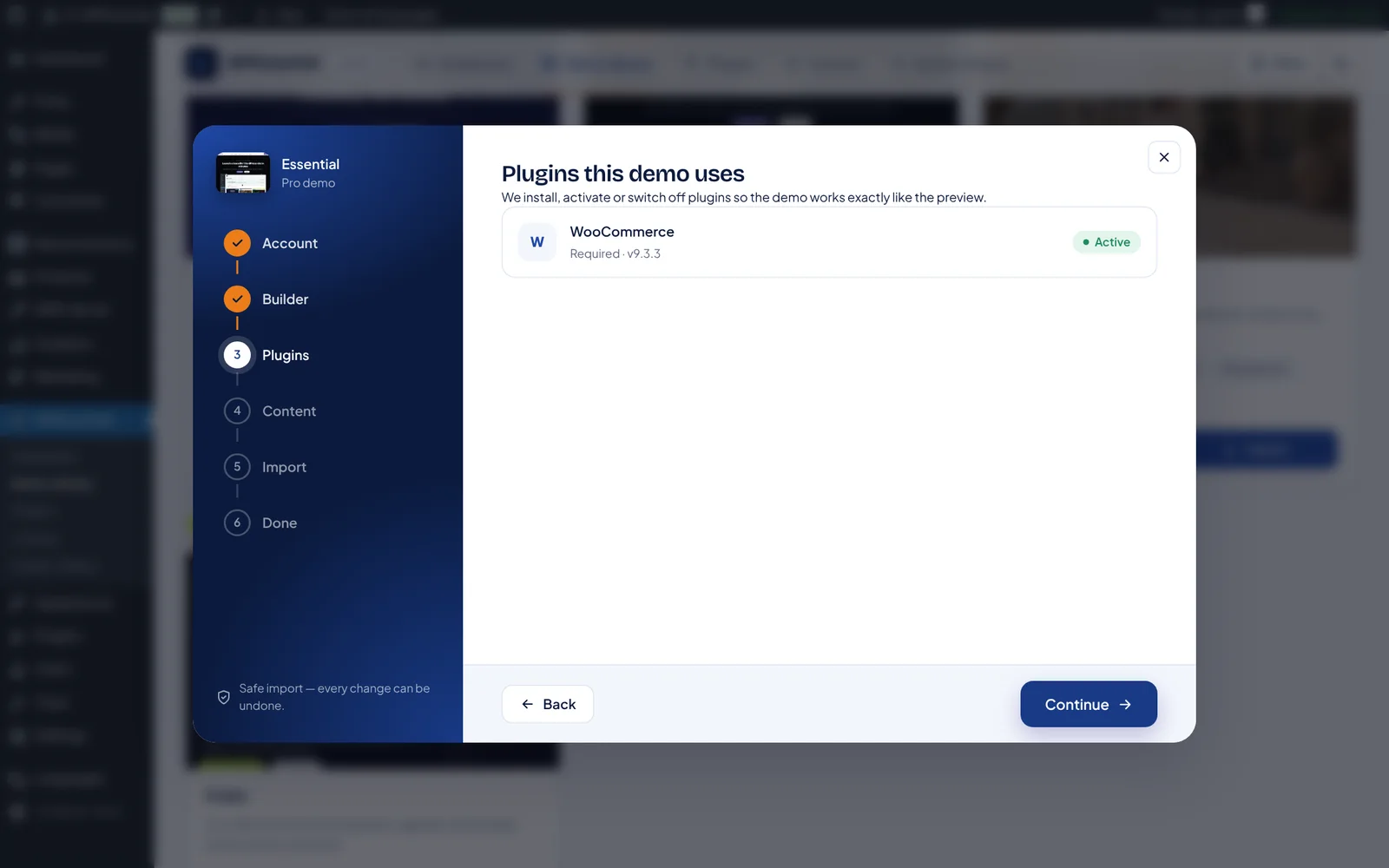
3. Install required plugins
The wizard lists the plugins and installs them for you.
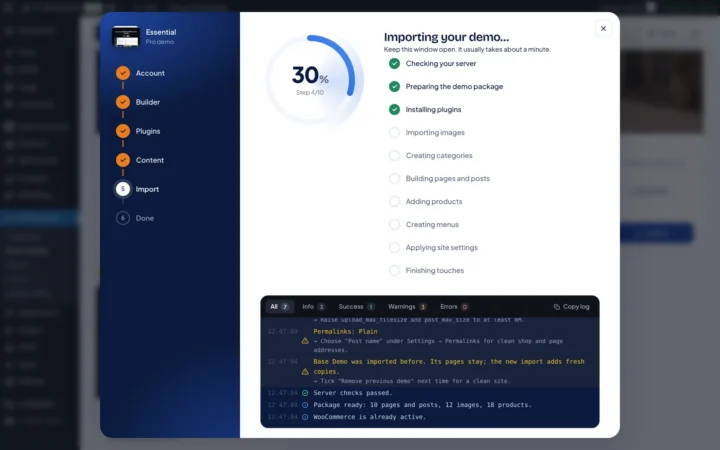
4. Import
Keep the tab open. A typical demo imports in under two minutes.


Leave a Reply